smart pet feeders are changing how we care for our cats and dogs, making scheduled feeding automatic—even when life gets hectic. But with the market growing rapidly and user complaints adding up, choosing the right automatic pet feeder isn’t as simple as it looks. Whether you want peace of mind for long workdays, or hope to solve unique challenges in multi-pet homes, here’s what every buyer and pet parent needs to know before investing.
Key Takeaways
- The smart pet feeder market is booming, but real-world reliability and power backup issues remain common pain points.
- Technical specs like portion accuracy, scheduling logic, and Wi-Fi stability directly affect both pet health and owner convenience.
- Long-term value depends on warranty, backup features, ease of maintenance, and the quality of ongoing support—not just app features.
- What Are Smart Pet Feeders and Why Are They Surging?
- Step-by-Step Guide: How to Choose and Set Up an Automatic Pet Feeder
- Advanced Analysis & Common Pitfalls of Smart Feeders
- Conclusion
- FAQ
What Are Smart Pet Feeders and Why Are They Surging?
Smart pet feeders are automated devices that dispense pet food on pre-set schedules, often with smartphone app control and remote notifications. They are designed to solve the practical problem of feeding pets reliably when owners are busy, working long hours, or traveling. Unlike simple gravity dispensers or manual timers, these feeders use Wi-Fi connectivity, programmable schedules, and sometimes even built-in cameras to help pet parents monitor meals and manage portion sizes from anywhere.

Market demand has exploded. In 2024 alone, the worldwide smart pet feeder market is valued between $1.2 and $1.47 billion, with forecasts suggesting growth as high as $4.9 billion by 2033 (see source). North America currently holds about 38 percent of this market, though Asia-Pacific is catching up quickly as urbanization and smart home use spread (see data).
While initial interest started with “set it and forget it” pet owners, today’s buyers span tech-savvy city dwellers, parents managing family pets, and caretakers of animals with medical eating routines. As pet health ecosystems and services like pet water fountains grow, the appeal of smart feeders continues to rise.
Step-by-Step Guide: How to Choose and Set Up an Automatic Pet Feeder
- Assess your needs. Is this for a single pet or a lively multi-animal home? Are you aiming for basic scheduled meals, or do you want camera monitoring, voice alerts, or dietary tracking? Know your “must-haves” versus nice-to-haves before shopping.
- Check capacity and food compatibility. Most feeders are optimized for dry food in the 12–15mm kibble size range. If you use specialty or irregular shapes, double-check manufacturer specs to avoid jams.
- Compare features and user reviews. Look beyond shiny app screenshots. Scan feedback for complaints about Wi-Fi drops, missed meals, loud motors, inability to withstand pet tampering, or poor customer service.
- Choose power and backup features. Select models with local schedule storage plus battery backup—crucial for feeding continuity during power or internet outages. If you have frequent outages, prioritize models with solid non-volatile memory and clear battery status alerts.
- Evaluate maintenance and spare-part availability. Removable, washable food trays and bowls speed cleaning. Confirm that spare lids, trays, or desiccant packs are available before you buy.
- Set up security and privacy. Use strong passwords. Choose feeders with encrypted app connections and two-factor authentication if available—especially if your device includes audio or video.
- Program and test the schedules. Set your meal times and portion sizes. Test each scheduled feed with your actual kibble and bowl, then monitor for accuracy in the first days. For advanced features, see if the device can share data with other health platforms.
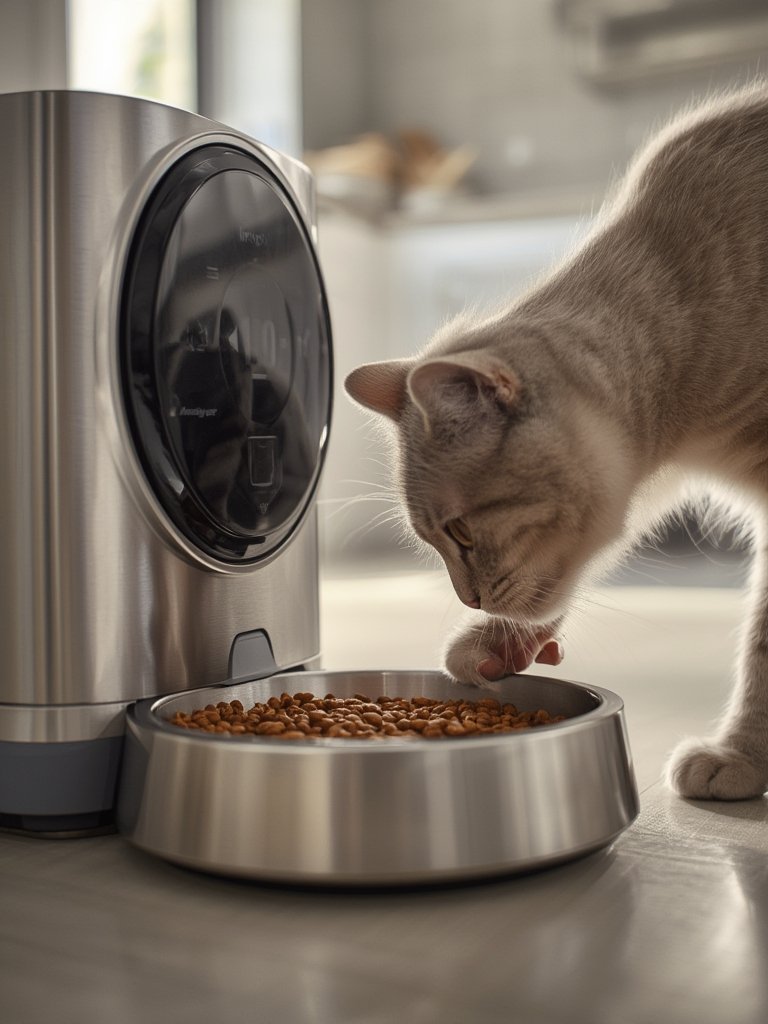
- Maintain regularly: Clean food-contact parts every week or two to prevent build-up that can impact portion accuracy and attract pests.
- Monitor device health: Check status indicators, replace backup batteries, and keep firmware updated. But never update firmware right before a trip—wait to confirm stability first.
For long-term use, check available return and warranty policies. Most smart feeders offer a 30-day return and one-year warranty, but a few premium brands support longer coverage or better trial windows (see details).
Looking for other automated home solutions? Explore self watering planters or ergonomic workspace upgrades like a standing desk converter for truly smart living.
Advanced Analysis & Common Pitfalls of Smart Feeders
Despite the features, real-world performance is less flawless than marketing suggests. Below are the most common user complaints and pitfalls—plus how to identify strong options for your needs.
| Problem / Pitfall | What Causes It? | How to Minimize |
|---|---|---|
| Feeder jams or misfeeds | Irregular/large kibble exceeds device spec, lack of anti-jam sensors or design flaws | Use recommended kibble size. Choose feeders with anti-jam detection and strong motors. |
| Wi-Fi drops, app delays | Limited 2.4 GHz Wi-Fi support, distant router, app server downtime | Place feeder near router. Confirm schedule continues locally if Wi-Fi fails. |
| Power outages stop feeding | No battery backup, no non-volatile memory for schedules | Buy units with independent local scheduling and battery status alerts. |
| Overfeeding or underfeeding | Inaccurate portion sizes, accidental double schedules, trust in device alone | Calibrate with kitchen scale. Check app logs after each feed. Limit remote users. |
| Pet hacks feeder, shakes food loose | Poor latch design, lightweight housing, determined or bored pets | Secure location. Consider models with lockable lids and pet-proof housing. |
| Privacy & security risks | Weak authentication, camera/mic over-permission, outdated firmware | Enable 2FA, restrict smart home API access, keep software up to date. |
| Missed feeds after backup dies | Batteries undetected, lack of status alerts | Add regular calendar reminders to check and replace backups monthly. |
Long-term reliability also varies. Many lower-end feeders show motor failure or part breakage within 1–3 years, pushing owners to replace entire units. Mid- and high-end products frequently last over 3–5 years, depending on cleaning, power conditions, and whether brand cloud services remain online (see research).
For multi-pet homes, advanced models with microchip or RFID recognition help prevent one pet from stealing another’s meals, but may still struggle with determined or misbehaving animals. Integration with vet or telehealth dietary plans is emerging but rarely seamless; check for open API or export options if this is critical for you.
If you’re considering other smart outdoor options, our guide to solar outdoor lights covers energy-saving lighting for your home exterior, and robot lawn mowers can further automate daily chores.
Warranty claims require reading the fine print. Damage from incorrect kibble, moisture, or pet tampering is rarely covered. Save your manual and receipts, and don’t expect in-warranty repair for minor plastic breakage.
Conclusion
Smart pet feeders are here to stay. They can make feeding routines more reliable, but only if you understand their real-world gaps and maintain them actively. When comparing models, go beyond the app, and focus on backup, accuracy, and support. Read trusted user reviews, look for flexible return policies, and always test in your home before relying completely. If you’re ready to invest, consider smart feeders a starting point for broader home automation—discover more ideas like indoor grow lights or raised garden beds to build out your smart ecosystem. Make every meal—and every day—simpler for you and your pets with the right smart pet feeders now.
Ready to upgrade your pet’s routine? Shop smart pet feeders, compare options, and test in your own space for true peace of mind.
FAQ
How accurate are smart pet feeders at portion control?
Most mid- and high-end feeders deliver portions within ±5–10% accuracy—if you use the recommended kibble size specified by the maker. Real-world tests show higher variance (10–20%) with small or irregular food. Always calibrate with a kitchen scale after setup.
What happens if the internet or power goes out?
Feeders with local schedule storage and battery backup will keep working as usual, though app notifications and manual remote feeding may be disabled. Cheaper models may reset schedules and miss meals entirely until power or Wi-Fi returns. Always check backup status regularly.
Are smart pet feeders safe from hacking or privacy risks?
The main risks involve weak account passwords, lack of two-factor authentication, or poorly secured video streams. The worst a hacker could usually do is alter feeding times or view camera feeds. Always use strong, unique passwords and enable 2FA where possible.
How long do smart pet feeders last?
Low-cost feeders may fail after 1–3 years due to motor or plastic wear. Well-maintained premium units with good support can last 3–5+ years; however, some features may disappear if brand cloud services are discontinued.
Do smart pet feeders work for wet food or multi-pet households?
Most are designed for dry food only. Specialized models can handle wet food or manage multi-pet homes using RFID tags or microchip readers, but setup and reliability are more complex—check reviews carefully.